Best LLM for 128GB RAM (2026): Local Picks, Llama 4 Maverick
128GB is where the 2026 model wave lands hardest. Llama 4 Maverick (Meta's 400B/17B MoE) barely fits at ~95GB Q4 and is the strongest reasoning model you can run locally. gpt-oss 120B at Q6 remains the production-reliable pick. Laguna XS 2.1 (July 2026) runs at full Q8 with massive context headroom and is the best local agentic coding model. DeepSeek V4 Flash tops coding benchmarks but runs via Ollama cloud, not locally. The hardware for this tier is the Mac Studio M4 Max 128GB.
Building a 128GB self-hosted LLM rig?
See our AI training options. We'll plan a quad-model OpenClaw setup that turns your Mac Studio Ultra into a private AI server for your team.
- Laguna XS 2.1 (Poolside, 33B/3B MoE, July 2, 2026) — best local agentic coding model; runs at full Q8 (~36GB) on 128GB with huge context headroom; in the Ollama library
- Llama 4 Maverick (Meta, 400B/17B MoE) — ~95-100GB at Q4, strongest reasoning locally, barely fits
- Llama 4 Scout (Meta, 109B/17B MoE) — ~58GB at Q4, 10 million token context window, fits easily
- DeepSeek V4 Flash (284B/13B MoE) — tops coding benchmarks, but Ollama serves it cloud-only; local runs still need experimental forks
Shopping, not just reading? Our full gear ladder lists every verified pick by tier — Macs, single GPUs, and multi-GPU builds — with what to buy and what to skip.
Bottom Line (2026)
- Best overall pick: gpt-oss 120B at Q6_K (premium quality, cleanest tool calls, production-proven)
- Best reasoning: Llama 4 Maverick (400B/17B MoE) at Q4 — frontier quality, tight 128GB fit
- Best local coding: Laguna XS 2.1 (33B/3B MoE) at Q8 — 70.9% SWE-bench Verified, in Ollama, tiny footprint leaves room to co-load gpt-oss
- Best for long documents: Llama 4 Scout at Q4 — 10M context window, no other local model comes close
- Best premium reasoning MoE: Mistral Small 4 (119B-A6B) at Q6_K
- DeepSeek V4 Flash: still the coding benchmark leader, but Ollama serves it cloud-only (
deepseek-v4-flash:cloud) — not a local pick yet
If you are not sure you need this tier, compare down first: best local LLM for 32GB RAM covers the practical 20B-32B tier, and best local LLMs for 64GB RAM covers the mainstream serious local AI host. Buy 128GB only when you need 120B-class models, long context headroom, or multi-model OpenClaw routing.
If your search was closer to “best local LLM reddit 128GB RAM” or “Reddit’s favorite model for OpenClaw”, use the compressed community-search page too: Best local LLM Reddit users recommend for 128GB RAM. It gives the fast shortlist before the deeper hardware notes here.
If your question is specifically “I have 128GB RAM but no GPU”, read the exact answer first: Can I run a local LLM with 128GB RAM and no GPU?. CPU-only 128GB and Apple unified-memory 128GB are very different setups.
If your 128GB machine has an RTX 3090, RTX 4090, or another 24GB GPU, use the hybrid answer instead: Can I run a local LLM with 128GB RAM and 24GB VRAM?. That setup is fast for 20B-35B GPU models, but the 24GB VRAM ceiling still matters.
If your 128GB machine has a 48GB workstation GPU, use the larger-GPU answer: Can I run a local LLM with 128GB RAM and 48GB VRAM?. That setup moves you into practical 70B-class GPU inference while keeping enough system RAM for OpenClaw, tools, logs, and offload.
New, August 25 2026: Apple brought the 256GB Mac Studio back with the M5 Ultra — 1.2 TB/s bandwidth, ships September 22. If this tier is not enough memory, that is now the machine to look at.
## Top Picks for 128GB RAM1. Llama 4 Maverick (400B/17B MoE) at Q4 — best reasoning locally [New June 2026]
Meta’s flagship 400B Mixture-of-Experts model. 400B total parameters, 17B active per token. At Q4_K_M it uses ~95-100GB — it barely fits in 128GB with limited context headroom. This is the strongest reasoning model you can run on a single machine right now.
ollama run llama4:maverick
# Verify Ollama library availability first: ollama list | grep maverick

openclaw config set agents.defaults.models.chat ollama/llama4:maverick
openclaw config set agents.defaults.context_limit 16384  # required: limit context on 128GB
Speed: 10-15 tok/sec on M4 Max 128GB. Slow but frontier quality. Cap context at 16K-32K or you’ll page into swap. Does NOT fit 96GB or below.
2. Llama 4 Scout (109B/17B MoE) at Q4 — 10 million token context [New June 2026]
Scout is the long-context sibling of Maverick. 109B total / 17B active per token, 10 million token context window — nothing else comes close locally. At Q4 it uses ~58GB, leaving comfortable headroom on 128GB. Tok/sec: 25-35 on M4 Max.
ollama run llama4:scout
openclaw config set agents.defaults.models.chat ollama/llama4:scout
openclaw config set agents.defaults.context_limit 512000  # Scout handles it
Use Scout when you need to feed a whole codebase, a large PDF, or a long conversation history to the model in one shot. The 10M context is unprecedented for local inference.
3. Laguna XS 2.1 (33B/3B MoE) at Q8 — best local agentic coding [New July 2026]
Poolside’s July 2, 2026 release. 33B total / 3B active per token, 256K context, 70.9% SWE-bench Verified and 63.1% SWE-bench Multilingual. At Q8 it uses ~36GB — on a 128GB machine you can run it at full quality with maximum context AND co-load gpt-oss 120B Q4 for the agent path.
ollama pull laguna-xs:2.1
openclaw config set agents.defaults.models.code ollama/laguna-xs:2.1
openclaw config set agents.defaults.context_limit 262144  # 128GB handles full 256K context
The 3B active footprint makes it fast (40+ tok/sec on M4 Max) and cheap to keep resident. This is the model that replaces cloud coding APIs for long agentic runs on this tier.
4. DeepSeek V4 Flash (284B/13B MoE) — top coding benchmark, cloud-only in Ollama
DeepSeek’s mid-tier 2026 release. 284B total / 13B active per token, 1M-token context. At Q4 the weights would use ~80GB and fit 128GB — but as of July 2026, Ollama serves V4 Flash via Ollama cloud only (available since April 25). Fully local runs still require experimental forks.
Watch: running DeepSeek V4 Flash as a coding agent on a 128GB Mac with the experimental ds4 engine.
# Via Ollama cloud (not local inference):
ollama run deepseek-v4-flash:cloud

# Experimental local routes:
# - ds4 engine: https://github.com/antirez/ds4
# - V4-aware llama.cpp fork
Note: DeepSeek V4 Pro (1.6T parameters, 49B active) does NOT fit on any single consumer machine. Cloud API only.
5. gpt-oss 120B (Q6_K) — best production pick
OpenAI’s flagship open-weight model at Q6_K uses about 93GB. Essentially FP16 quality. Cleanest tool-call JSON of any open-weight model — the production OpenClaw pick for long autonomous runs.
ollama pull gpt-oss:120b-q6_K
openclaw config set agents.defaults.models.chat ollama/gpt-oss:120b-q6_K
openclaw run --agent --max-hours 24 "Continuous CI agent"
Speed: 18-28 tok/sec on M2 Ultra 128GB; 14-20 tok/sec on M4 Max 128GB.
If you’re shopping for a Mac that runs this well, the Mac Studio M4 Max on Amazon is the current machine — 128GB unified memory, 546 GB/s bandwidth. The M3 Ultra (800 GB/s) is ~40% faster on the same model if you can find the configuration you need.
6. Mistral Small 4 (119B-A6B MoE) at Q6_K — best MoE reasoning
Mistral’s March 16, 2026 release at Q6_K uses about 95GB. 6B active params per token gives faster inference than dense 120B models with comparable reasoning depth.
ollama pull mistral-small-4:q6_K
openclaw config set agents.defaults.models.chat ollama/mistral-small-4:q6_K
7. Qwen 3.5 122B-A10B (Q5_K_M) — strong MoE breadth
The Qwen 3.5 medium series flagship at Q5 uses about 88GB. 14B-class inference speed with 122B-class knowledge. Note: tool calling is affected by the Ollama bug (issue #14493) — pair with gpt-oss 120B for the OpenClaw agent path.
ollama pull qwen3.5:122b-q5_K_M
openclaw config set agents.defaults.models.chat ollama/qwen3.5:122b-q5_K_M
openclaw config set agents.defaults.models.agent ollama/gpt-oss:120b
8. Quad-Model Setup at 128GB
# Production routing (total ~120GB):
# - gpt-oss 120B Q4 for agent loops (~62GB)
# - Qwen 3.6 27B Q8 for fast chat (~33GB)
# - Qwen 3.6 35B-A3B Q5 for MoE inference (~26GB)

openclaw config set agents.defaults.models.chat ollama/gpt-oss:120b
openclaw config set agents.defaults.models.fast ollama/qwen3.6:27b-q8_0
openclaw config set agents.defaults.models.moe ollama/qwen3.6:35b-q5_K_M
openclaw config set agents.defaults.keep_alive 4h
Cap context at 32K when all three are loaded. Monitor with openclaw models status.
9. DeepSeek V3 (IQ2_XS) — squeeze for the curious
DeepSeek V3 671B-A37B at IQ2_XS uses about 130GB. Quality is degraded at IQ2 but still useful for experimentation. V4 Flash (above) is a better pick if you want DeepSeek-class coding.
ollama pull deepseek-v3:671b-iq2_xs
openclaw config set agents.defaults.context_limit 16000
Not sure a model fits your exact 128GB machine?
Check it in seconds: the token speed & cost estimator (preloaded with the 128GB Apple Silicon preset) compares local vs cloud cost, and the local LLM calculator shows which quants fit with context headroom.
What Fits in 128GB
| Model | Quant | RAM Used | Tok/s (M4 Max) | Tool Calling |
|---|---|---|---|---|
| Llama 4 Maverick 400B/17B MoE ✦ new | Q4_K_M | ~95-100 GB | 10-15 tok/s | Good |
| Laguna XS 2.1 33B/3B MoE ✦ new July | Q8_0 | ~36 GB | 40+ tok/s | Excellent (agentic coding) |
| DeepSeek V4 Flash 284B/13B MoE | cloud | n/a (Ollama cloud) | n/a | Excellent (coding) |
| Llama 4 Scout 109B/17B MoE ✦ new (10M ctx) | Q4_K_M | ~58 GB | 25-35 tok/s | Good |
| gpt-oss 120B | Q6_K | ~93 GB | 14-20 tok/s | Excellent (production) |
| Mistral Small 4 119B-A6B MoE | Q6_K | ~95 GB | 14-18 tok/s | Good |
| Qwen 3.5 122B-A10B MoE | Q5_K_M | ~92 GB | 18-25 tok/s | Fair (Ollama bug) |
| Llama 3.3 70B | Q8_0 | ~80 GB | 12-18 tok/s | Excellent |
| Quad-model (gpt-oss Q4 + 27B Q8 + 35B-A3B Q5) | mixed | ~120 GB | varies | Excellent |
| DeepSeek V3 671B-A37B | IQ2_XS | ~125 GB | 5-8 tok/s | Fair (degraded) |
Common Mistakes at 128GB
- Assuming DeepSeek V4 Flash runs locally in Ollama. It doesn’t yet —
ollama run deepseek-v4-flash:cloudroutes to Ollama cloud. The ~80GB Q4 weights would fit 128GB, but local inference still needs experimental forks. V4 Pro (1.6T parameters) never fits — cloud only. - Running Llama 4 Maverick with large context. At Q4, Maverick uses ~95-100GB for weights alone. Adding 64K context blows past 128GB. Cap at 16K-32K context when Maverick is loaded.
- Picking Qwen 3.5 122B-A10B as the OpenClaw chat model without gpt-oss fallback. The Ollama tool-calling bug (issue #14493) affects autonomous loops. Always pair with gpt-oss 120B for the agent path.
- Loading three 100B-class models simultaneously. Triple-loaded setups can spike to 130GB+ during context expansion. Test each combo with realistic workloads before committing to a routing config.
- Buying 128GB for future-proofing when you only run 70B Q4. A 64GB Mac Studio runs Qwen 3.6 27B Q8 + gpt-oss 120B Q4 — same quality for half the cost. Buy 128GB only if you need Maverick, Scout, V4 Flash, or quad-model setups.
🛒 Recommended hardware for local AI
The two Macs that handle the workloads on this page.
Amazon affiliate links — we earn a small commission at no cost to you.
Hardware That Actually Hits 128GB
The current Mac lineup for 128GB (July 2026):
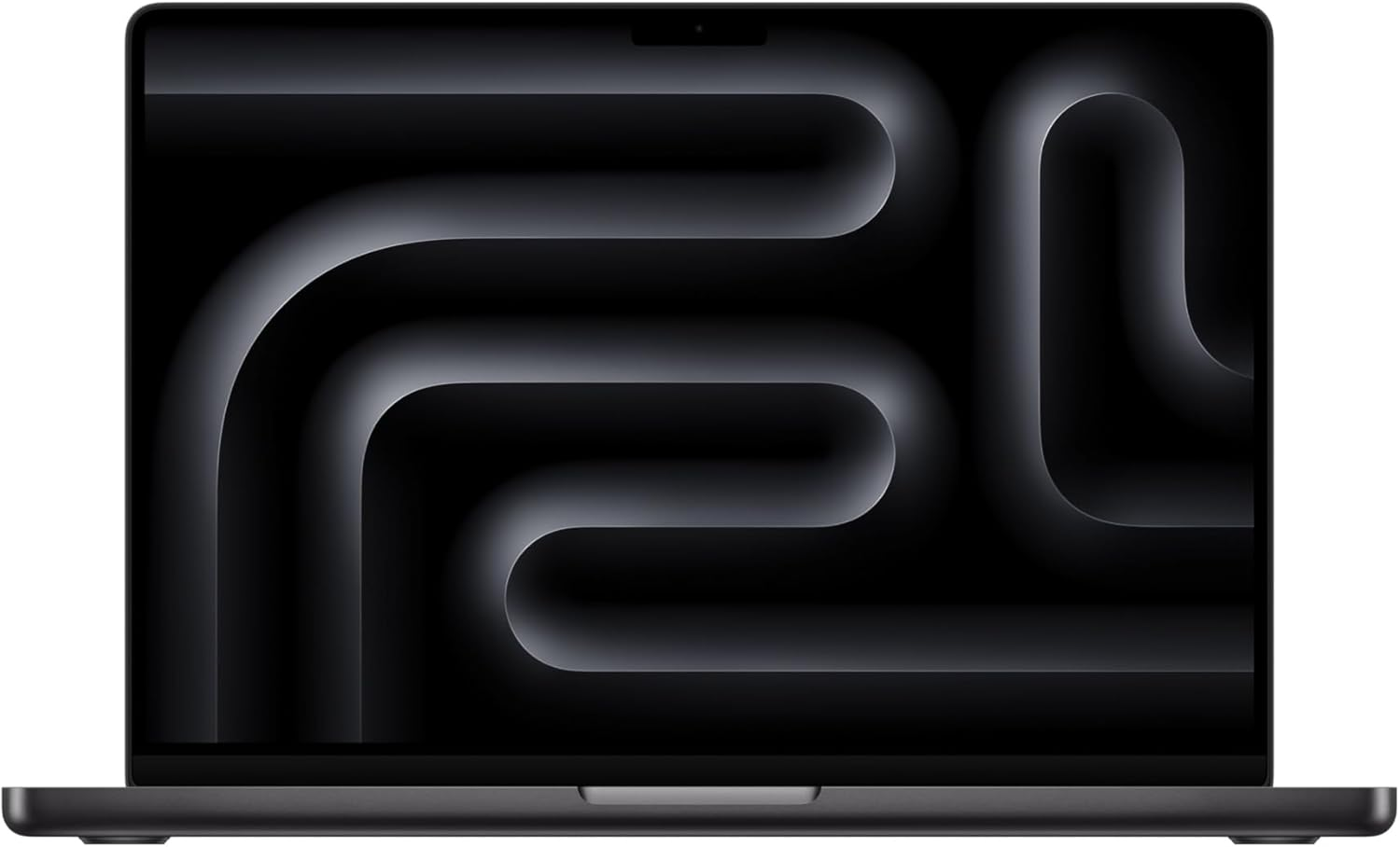
- Mac Studio M4 Max 128GB — the current dedicated AI host; 546 GB/s bandwidth; released March 2025. This is the machine for gpt-oss 120B Q6 + Llama 4 Scout daily use.
- NVIDIA DGX Spark 128GB — GB10 Grace Blackwell desktop box with 128GB unified memory and CUDA out of the box; the non-Mac answer at this tier if your stack assumes NVIDIA tooling
- Mac Studio M3 Ultra 192GB — 800 GB/s bandwidth (~40% faster than M4 Max on same model); configured at 96GB or 192GB; no 128GB config available
- MacBook Pro M4 Max 128GB — laptop option; expect some thermal throttling on sustained 24hr loads
- Mac Studio M2 Ultra 128GB — prior generation; 800 GB/s bandwidth; still excellent if you have one
- 4× RTX A6000 48GB = 192GB VRAM (server build)
- 8× RTX 3090 24GB = 192GB VRAM (DIY budget rig, complex setup)
Note: There is no Mac Studio M4 Ultra. Apple did not release an M4 Ultra as of July 2026. The current Mac Studio top chip is M3 Ultra. Any benchmark you see citing “M4 Ultra” is speculative or erroneous.
FAQ
What is the best local LLM for 128GB RAM in 2026?
gpt-oss 120B at Q6_K is the best general-purpose production pick — about 93GB, essentially FP16 quality, cleanest tool-call JSON of any open-weight model. For strongest reasoning, Llama 4 Maverick (400B/17B MoE) at Q4 uses ~95-100GB and barely fits 128GB. For agentic coding, Laguna XS 2.1 (33B/3B MoE, 2026) runs at full Q8 (~36GB) with huge context headroom and scores 70.9% on SWE-bench Verified. For long documents, Llama 4 Scout at Q4 (~58GB) gives a 10 million token context window.
Does Llama 4 Maverick fit in 128GB RAM?
Barely. Llama 4 Maverick is 400B total parameters with 17B active per token (MoE). At Q4_K_M the weights are approximately 95-100GB — which fits in 128GB with limited KV cache headroom. Cap context at 16K-32K when running Maverick to stay under 128GB total. At Q2 it would fit more comfortably but quality degrades significantly. It does NOT fit 96GB or below.
Can I run DeepSeek V4 Flash locally on 128GB?
Not fully locally yet. DeepSeek V4 Flash is 284B total parameters with 13B active per token (MoE), and at Q4 the weights would use approximately 80GB. But in 2026 Ollama serves it via Ollama cloud only (ollama run deepseek-v4-flash:cloud, available since April 25) — local runs require experimental forks like the ds4 engine or a V4-aware llama.cpp branch. The full DeepSeek V4 Pro (1.6T parameters) does NOT fit on any single consumer machine.
Is 128GB Mac Studio M4 Max worth it for local LLMs in 2026?
Yes for serious local AI work. The Mac Studio M4 Max 128GB has 546 GB/s memory bandwidth and handles gpt-oss 120B Q6 at 18-28 tok/sec and Llama 4 Scout at 25-35 tok/sec. The M3 Ultra variant (800 GB/s bandwidth) is ~40% faster on the same model. Compared to multi-GPU NVIDIA setups it is quieter, lower-power, and single-machine simple.
What is the best coding model for 128GB RAM?
Laguna XS 2.1 at Q8. It uses about 36GB, scores 70.9% on SWE-bench Verified, and runs at 40+ tok/sec on an M4 Max. 128GB lets you run it at the full 256K context and co-load gpt-oss 120B at Q4 (~62GB) for agent loops at the same time.
Is the best LLM for 128GB VRAM the same as for 128GB RAM?
The model list is the same, but the speed is not. 128GB of VRAM means four 32GB cards or a 96GB RTX PRO 6000 with offload, and GPU bandwidth is far above the 546 GB/s of a Mac Studio M4 Max. On unified memory, expect 14-20 tok/sec for gpt-oss 120B at Q6 on an M4 Max. See the 128GB VRAM guide for the GPU build.
Is 128GB RAM good for AI, or is 64GB enough?
Buy 128GB only if you need Llama 4 Maverick (~95-100GB at Q4), Llama 4 Scout with a large context, or a quad-model OpenClaw setup. A 64GB Mac already runs Qwen 3.6 27B at Q8 and gpt-oss 120B at Q4 for about half the cost. 128GB with no GPU behaves differently from 128GB of unified memory; see 128GB RAM and no GPU.
Before you order parts, check the tested hardware list for current prices by tier.
See Also
- Can I run Qwen3.8-Flash-Next locally? — 6B active, but even the 1-bit GGUF needs a 128GB box
- Best local LLM for 32GB RAM — practical 20B-32B tier before you overbuy
- Best local LLM Reddit users recommend for 128GB RAM — Reddit-intent shortlist for 120B-class agents, Scout context, and large MoE experiments
- Can I Run a Local LLM With 128GB RAM and No GPU? — CPU-only vs Apple unified memory vs GPU VRAM
- Can I Run a Local LLM With 128GB RAM and 24GB VRAM? — RTX 3090/4090-class workstation setup
- Can I Run a Local LLM With 128GB RAM and 48GB VRAM? — workstation GPU setup for stronger 70B-class local inference
- Open Research: 30-Day Local LLM Benchmark — live experiment, all tiers, all models
- Best Local LLMs for 96GB RAM — Llama 4 Scout + DeepSeek V4 Flash at 96GB
- Best Local LLMs for 64GB RAM — Scout fits, Maverick doesn’t
- Best Local LLM by RAM (hub) — full comparison
- Best Local Models for OpenClaw — model-first guide
- OpenClaw Mac Mini Setup — host setup playbook
- OpenClaw Costs Guide — when local pays back the hardware
- Best Local LLM for 128GB of VRAM — why real 128GB VRAM is four cards, and why MoE makes the cheap box competitive
Hardware check
Which local LLM can your machine run?
Pick your setup. You get the model size that actually fits, plus a practical upgrade that moves you up a tier.
Models that fit
Hardware links are Amazon affiliate links. Product links come from the reviewed OpenClaw DC affiliate list.
Need OpenClaw fixed live?
Remote rescue sessions for gateway, auth, tunnel, VPS, and model access problems.
See Rescue Session