Best Local LLM for 32GB RAM (2026): Qwen 3.6 27B Wins
The best local LLM for 32GB RAM is Qwen 3.6 27B at Q6_K. It uses about 22GB, so the OS, Ollama and your editor still fit. For OpenClaw autonomous loops, run gpt-oss 20B at Q8_0 instead — its tool calls are cleaner. 32GB runs 20B-32B models well; it does not run 70B-class models well.
Shopping, not just reading? Our full gear ladder lists every verified pick by tier — Macs, single GPUs, and multi-GPU builds — with what to buy and what to skip.
Best local LLM for 32GB RAM: the direct answer
The best local LLM for 32GB RAM is Qwen 3.6 27B at Q6_K. It uses about 22GB at runtime. That leaves roughly 10GB for the OS, Ollama, your browser and a normal context window — the balance no other model at this tier holds as well.
Two answers cover almost everyone on this tier:
- General use and coding: Qwen 3.6 27B at Q6_K —
ollama pull qwen3.6:27b-q6_K - OpenClaw autonomous loops: gpt-oss 20B at Q8_0 — its tool-call JSON is cleaner, which beats raw parameter count on unattended runs.
| What you want | Best LLM for 32GB RAM | RAM in use | Why this one |
|---|---|---|---|
| Best overall | Qwen 3.6 27B at Q6_K | ~22GB | Near-FP16 quality, 77.2% SWE-Bench, still leaves headroom |
| Best for OpenClaw agents | gpt-oss 20B at Q8_0 | ~22GB | Cleanest tool calls, least drift over 4-6 hour loops |
| Best for coding only | Devstral Small 24B at Q4_K_M | ~14.5GB | Coding-tuned, small enough to run beside a second model |
| Fastest | Qwen 3.6 35B-A3B at Q5_K_M | ~24GB | MoE, 3B active per token, 30-50 tok/sec on Apple Silicon |
| Best dense alternative | Gemma 4 31B at Q6_K | ~25.2GB | 256K context and image input, if you want a second opinion |
| Do not run on 32GB | 70B at tiny quants, 120B models, 256K context on a 27B Q6 | — | Too slow, too degraded, or it swaps |
Is 32GB enough? Yes for 20B-32B models and normal OpenClaw work. No for clean 70B-class daily use. Step up to best local LLM for 64GB RAM for 70B-class models and longer autonomous runs, or best local LLM for 128GB RAM for 120B-class models and multi-model routing.
Want OpenClaw running unattended on your 32GB rig?
See our AI training options. We'll tune your model + quant + context for autonomous runs.
- Gemma 4 31B (dense) — fits at Q4_K_M (~18.3GB) or Q6_K (~25.2GB), 256K context, multimodal input
- Gemma 4 26B-A4B (Google, June 3) — 26B MoE, ~15GB at Q4, ~4B active, 45+ tok/sec, Apache 2.0
- Devstral Small 24B (Mistral) — coding-focused, ~14.5GB at Q4, strong HumanEval
- MLX backend — 2-3x faster than llama.cpp for Qwen 3.6 on M-series; use MLX-LM for speed
Bottom Line (August 2026)
- Best overall pick: Qwen 3.6 27B at Q6_K (near-FP16 quality, 77.2% SWE-Bench)
- Best for OpenClaw production: gpt-oss 20B at Q8_0 (cleanest tool-call output)
- Fastest inference: Qwen 3.6 35B-A3B MoE (~50 tok/sec on Apple Silicon, ~130 via MLX)
- Best for code (new): Devstral Small 24B — Mistral’s dedicated coding model, fits easily
- Best general lightweight: Gemma 4 26B-A4B — new June model, fast and tiny RAM footprint
- Best dense alternative to Qwen: Gemma 4 31B at Q6_K (~25.2GB) — 256K context and multimodal input, if you want a second opinion to Qwen 3.6 27B
Top Picks for 32GB RAM
1. Qwen 3.6 27B (Q6_K) — best general-purpose
The April 22, 2026 release at Q6_K uses about 22GB and gives essentially indistinguishable quality from FP16. The “ship it” pick at this tier. Outperforms the 397B Qwen 3.5 MoE on agentic coding (77.2 SWE-Bench Verified).
ollama pull qwen3.6:27b-q6_K

openclaw config set agents.defaults.models.chat ollama/qwen3.6:27b-q6_K
openclaw chat "Refactor src/auth.ts and update the callers"
Expected speed: 18-30 tok/sec on M2 Max / M3 Pro, 40-65 on RTX 4090.
2. gpt-oss 20B (Q8_0) — best for OpenClaw production
OpenAI’s open-weight 20B at full Q8_0 uses about 22GB. Cleanest tool-call JSON of any open-weight model. The production OpenClaw pick when reliability matters more than peak benchmark scores.
ollama pull gpt-oss:20b-q8_0
openclaw config set agents.defaults.models.chat ollama/gpt-oss:20b-q8_0
openclaw run --agent --max-hours 4 "Implement the spec end-to-end"
3. Qwen 3.6 35B-A3B (Q5_K_M) — fastest at this tier
Mixture-of-Experts variant of Qwen 3.6. 35B total parameters, 3B active per token. At Q5 it uses about 24GB. Inference speed is 30-50 tokens/sec on Apple Silicon — faster than dense 14B models.
ollama pull qwen3.6:35b-q5_K_M

openclaw config set agents.defaults.models.chat ollama/qwen3.6:35b-q5_K_M
4. Nemotron Cascade 2 30B (Q5_K_M) — strong on structured output
NVIDIA’s late-March 2026 release. 30B dense, 256K context, strong on JSON output and structured generation. About 22GB at Q5_K_M.
ollama pull nemotron-cascade-2:30b-q5_K_M
5. Gemma 4 26B-A4B — new June model, tiny footprint [New June 2026]
Google’s June 3, 2026 MoE release. 26B total / ~4B active per token. At Q4_K_M it uses about 15GB — the smallest footprint of any capable model at this tier. Runs 45+ tok/sec on M4 Pro. Apache 2.0 license.
ollama run gemma4:e4b
# or
ollama pull gemma4:26b-a4b
Strong for multilingual chat, light coding tasks, and fast RAG responses. Use it paired with Qwen 3.6 27B when you need a lightweight second model loaded simultaneously.
6. Devstral Small 24B — best dedicated coding model [New June 2026]
Mistral’s coding-focused 24B dense model. Fits at ~14.5GB at Q4_K_M. Strong HumanEval scores and built for agentic coding workflows.
ollama run devstral-small:24b
openclaw config set agents.defaults.models.code ollama/devstral-small:24b
Use this as your dedicated coding model in OpenClaw when Qwen 3.6 27B is handling general reasoning.
7. Qwen 3.5 27B (Q6_K) — skip this, use 3.6
The previous-generation Qwen 3.5 27B at Q6 uses about 22GB. Avoid for OpenClaw — tool-calling bug in Ollama (GitHub issue #14493). Always pick Qwen 3.6 27B.
MLX vs Ollama on Apple Silicon
On M-series Macs, Apple’s MLX framework runs 2-3x faster than llama.cpp for token generation. On a 32GB M4 Pro, Qwen3-Coder-30B-A3B hits 130 tok/sec in MLX versus 43 tok/sec in Ollama/llama.cpp. The gap narrows above 40K context.
# Install MLX-LM for speed
pip install mlx-lm

# Run Qwen 3.6 27B via MLX
mlx_lm.generate --model mlx-community/Qwen3.6-27B-4bit --prompt "Your prompt"
Tradeoff: MLX doesn’t yet support all Ollama OpenClaw integrations. Use Ollama for OpenClaw tool-calling loops, MLX for pure speed (standalone inference, fast chat).
Not sure a model fits your exact 32GB machine?
Check it in seconds: the local LLM calculator (preloaded for 32GB) shows which quants fit with context headroom, or run the token speed & cost estimator to compare against cloud pricing.
What Fits in 32GB
| Model | Quant | RAM Used | Tok/s (M4 Pro) | Tool Calling |
|---|---|---|---|---|
| Qwen 3.6 27B | Q6_K | ~22 GB | 18-30 (Ollama) / 60+ (MLX) | Excellent |
| Qwen 3.6 35B-A3B MoE | Q5_K_M | ~26 GB | 30-55 (Ollama) / 130 (MLX) | Excellent |
| gpt-oss 20B | Q8_0 | ~24 GB | 35-55 | Excellent (production) |
| Gemma 4 26B-A4B MoE ✦ new | Q4_K_M | ~15 GB | 45-65 | Good |
| Devstral Small 24B ✦ new (coding) | Q4_K_M | ~14.5 GB | 30-45 | Good |
| Gemma 4 31B (dense, 256K ctx) | Q6_K | ~25.2 GB | 12-20 | Good |
| Nemotron Cascade 2 30B | Q5_K_M | ~24 GB | 25-40 | Good |
| Qwen 3.6 27B | Q8_0 | ~30 GB | 18-25 | Excellent |
OpenClaw Setup on 32GB
This is the first tier where OpenClaw runs autonomous loops without babysitting:
# 1. Pull Qwen 3.6 27B at Q6 for general use
ollama pull qwen3.6:27b-q6_K

# 2. Pull gpt-oss 20B at Q8 for autonomous agent runs
ollama pull gpt-oss:20b-q8_0

# 3. Configure routing
openclaw config set agents.defaults.models.chat ollama/qwen3.6:27b-q6_K
openclaw config set agents.defaults.models.agent ollama/gpt-oss:20b-q8_0

# 4. 64K context (32GB has the headroom)
openclaw config set agents.defaults.context_limit 65536

# 5. Run an autonomous loop
openclaw run --agent "Refactor the auth module and update all callers"
Common Mistakes at 32GB
- Defaulting to Llama 3.3 70B at IQ2. It used to fit at IQ2_XXS but quality is so degraded that Qwen 3.6 27B at Q6 beats it on every metric.
- Picking Qwen 3.5 27B instead of 3.6. Tool calling bug in Ollama. Always pick 3.6.
- Setting context to 256K with a 27B Q6 model. KV cache alone eats 32GB+. Cap at 64K, raise only if needed.
- Skipping gpt-oss 20B because it is “smaller”. For OpenClaw tool-call reliability, gpt-oss 20B Q8 beats every 27-32B model at Q4 because the JSON output is cleaner.
🛒 Recommended hardware for local AI
The two Macs that handle the workloads on this page.
Amazon affiliate links — we earn a small commission at no cost to you.
Hardware That Actually Hits 32GB
The best current options (June 2026):
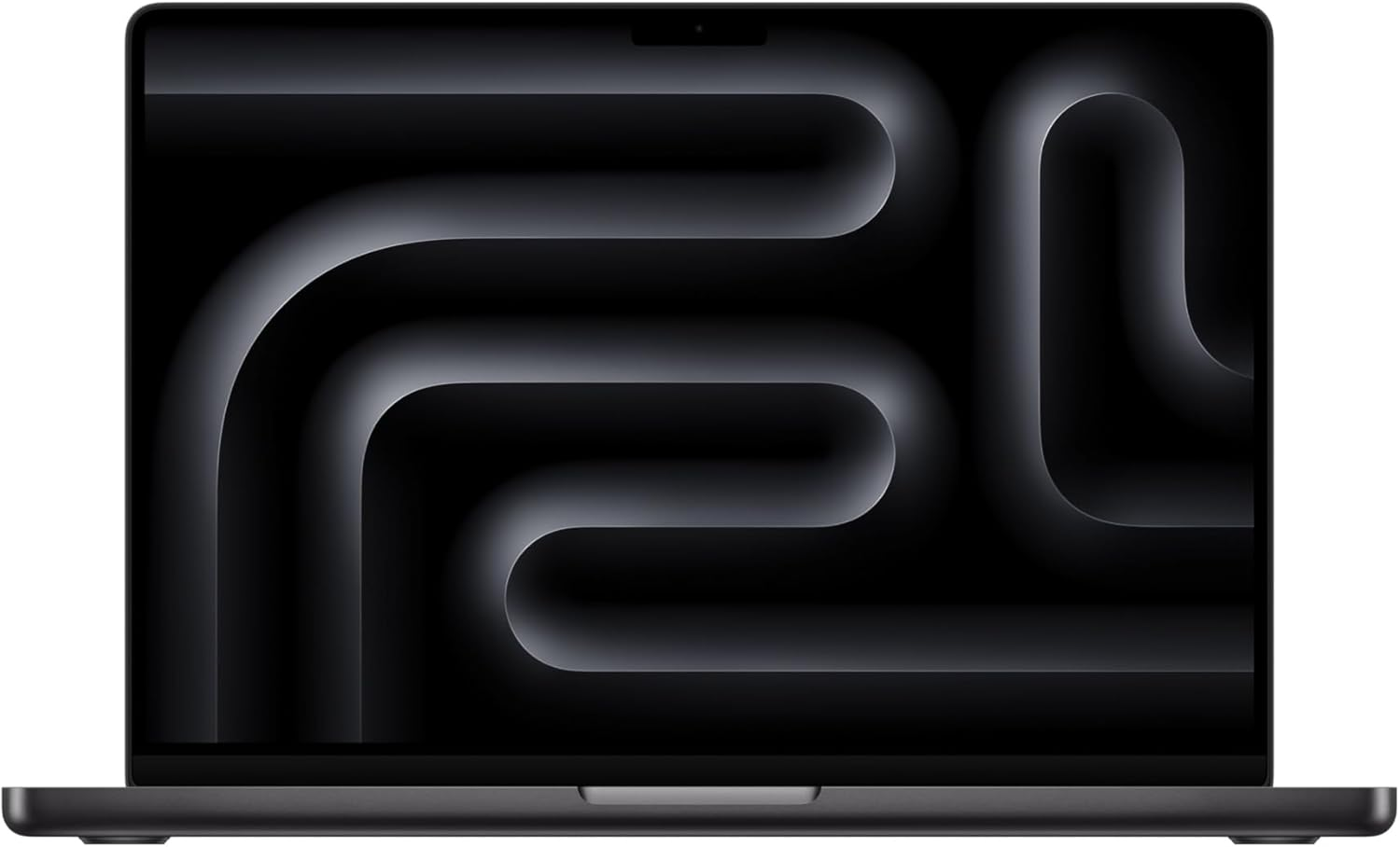
- MacBook Pro M4 Pro 36GB — best laptop for this tier; the extra 4GB matters when you load Qwen 3.6 27B Q8 (30GB) and leave room for macOS. The M4 Pro’s memory bandwidth handles 27B models at 25-40 tok/sec without thermal issues on sustained runs.
- MacBook Pro M3 Max 32GB — still a solid pick; slightly lower bandwidth than M4 Pro but Qwen 3.6 35B-A3B MoE fits comfortably
- Mac Studio M2 Max 32GB — quiet, always-on host; the right choice if you want a dedicated unattended machine for OpenClaw overnight loops
- 2× RTX 4090 24GB (48GB total NVLink split) — complex CUDA setup, not recommended unless you’re already on Windows/Linux
- NVIDIA RTX A6000 48GB — workstation, single card, more comfortable at 48GB than 32GB
One honest note: if you’re considering a new Mac purchase and primarily do OpenClaw autonomous agent runs, the jump to 48GB MacBook Pro at 48GB pays off immediately — you can run gpt-oss 120B Q4 for agents and keep Qwen 3.6 27B Q8 loaded for chat simultaneously.
FAQ
What is the best local LLM for 32GB RAM in 2026?
Qwen 3.6 27B at Q6_K is the best general-purpose local LLM for 32GB RAM. It uses about 22GB at runtime and leaves enough headroom for the OS, Ollama, a browser, and a normal context window. For OpenClaw autonomous loops, gpt-oss 20B at Q8_0 is the safer production pick because its tool-call JSON is cleaner.
What local LLMs fit well in 32GB RAM?
Qwen 3.6 27B at Q6_K, gpt-oss 20B at Q8_0, Gemma 4 26B-A4B at Q4_K_M, Gemma 4 31B at Q4_K_M (18.3GB) or Q6_K (25.2GB), Devstral Small 24B at Q4_K_M, and Nemotron Cascade 2 30B at Q5_K_M all fit in 32GB with usable headroom. Qwen 3.6 35B-A3B at Q5_K_M fits, but it is closer to the limit.
Can I run 32B models on 32GB RAM?
Yes. Qwen 3.6 35B-A3B at Q5_K_M uses about 26GB, and dense 30B-32B models at Q5 can fit if you keep context reasonable. For best quality and less memory pressure, Qwen 3.6 27B at Q6 is the safer daily-driver pick.
What local LLMs should I avoid on 32GB RAM?
Avoid 70B models at extreme low-bit quants, 120B-class models, and large context windows such as 256K with a 27B Q6 model. They may technically load in edge cases, but quality, speed, or swap pressure makes them poor daily-driver choices on 32GB RAM.
Is 32GB enough for OpenClaw autonomous runs?
Yes. 32GB is the first tier where OpenClaw runs unattended autonomous loops reliably. gpt-oss 20B at Q8 passes tool-calling validation through 4-6 hour sessions without drift. For 8-hour loops or larger parallel model setups, step up to 48GB or 64GB.
Is MLX faster than Ollama for local LLMs on Apple Silicon?
Yes, significantly. MLX runs 2-3x faster than llama.cpp on M-series chips for token generation on supported models. Use MLX-LM when speed matters; use Ollama when you need compatibility with OpenClaw tool-calling loops.
What local LLM runs on a 32GB Mac mini?
A 32GB Mac mini M4 Pro runs Qwen 3.6 27B at Q6_K (~22GB) for general use or gpt-oss 20B at Q8_0 (~22GB) for OpenClaw loops. For speed, Qwen 3.6 35B-A3B at Q5_K_M (~24GB) reaches 30-50 tok/sec in Ollama on Apple Silicon, and MLX runs supported MoE models 2-3x faster. Keep the context at 64K or lower.
How fast is Qwen 3.6 27B on an M4 Pro?
We have not measured the M4 Pro directly. The dense 27B at Q6_K runs 18-30 tok/sec in Ollama on M2 Max and M3 Pro class chips, and the M4 Pro sits in the same bandwidth band, so expect a similar range. The MoE Qwen 3.6 35B-A3B runs faster at 30-50 tok/sec, and on a 32GB M4 Pro a 30B-A3B MoE hits 130 tok/sec in MLX versus 43 in Ollama.
Does Qwen 3.6 27B work with OpenClaw on 32GB?
Yes. Set Qwen 3.6 27B Q6_K as the chat model and gpt-oss 20B Q8_0 as the agent model. Each uses about 22GB, so only one stays resident at a time on 32GB. Set the context limit to 65536. Avoid Qwen 3.5 27B, which has the Ollama tool-calling bug (issue #14493).
Before you order parts, check the tested hardware list for current prices by tier.
See Also
- Open Research: 30-Day Local LLM Benchmark — live benchmark experiment, 32GB tier results updated weekly
- Best Local LLM Reddit Users Recommend for 32GB RAM — Reddit-intent shortlist for Qwen, gpt-oss, Gemma, and what to avoid
- Best Local LLMs for 24GB RAM — Qwen 3.6 at Q4
- Best Local LLMs for 48GB RAM — Gemma 4 + dual-model setups
- Best local LLM for 64GB RAM — Llama 4 Scout (10M context) territory
- Best local LLM for 128GB RAM — 120B-class models and multi-model OpenClaw routing
- Best Local Models for OpenClaw — model-first guide
- Best Local LLM by RAM (hub)
Hardware check
Which local LLM can your machine run?
Pick your setup. You get the model size that actually fits, plus a practical upgrade that moves you up a tier.
Models that fit
Hardware links are Amazon affiliate links. Product links come from the reviewed OpenClaw DC affiliate list.
Need OpenClaw fixed live?
Remote rescue sessions for gateway, auth, tunnel, VPS, and model access problems.
See Rescue Session